1
Reply faster to customer emails
Turn a rough message into a clear answer, keep the company tone and check sensitive points before sending.
AI training for SMBs
Practical AI training for SMB teams, built around your emails, quotes, documents, CRM and meetings. Not a prompt catalog. A workshop where people learn to use ChatGPT, Claude, Copilot or Notion AI on their actual tasks.
Real business cases, not generic demos
AI Act article 4 and human validation framework
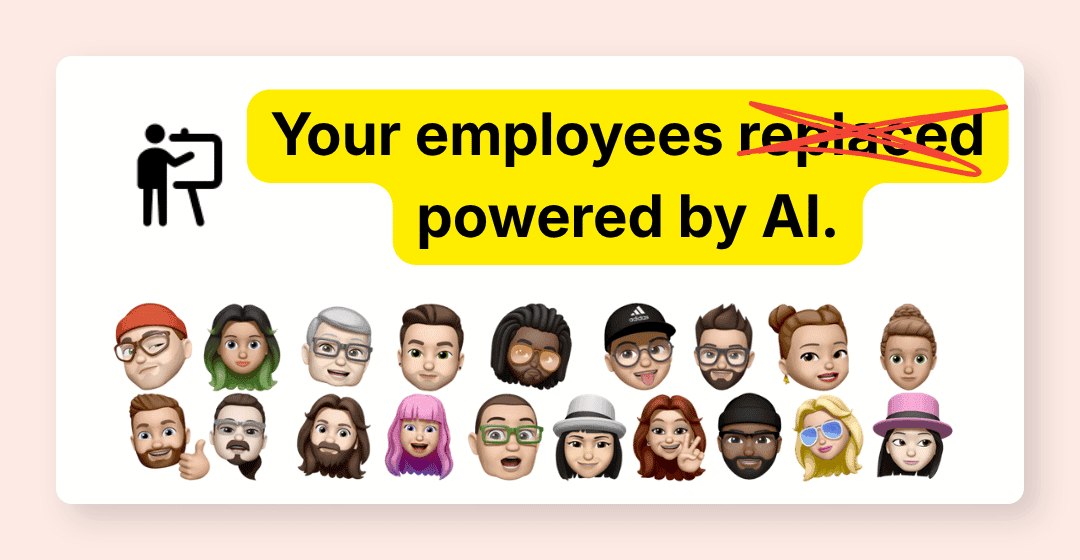
A clear framework to use AI without improvising
Who trains you
Training is not separate from field work. I design AI agents, automated workflows and business assistants. That changes the conversation: we talk about your real tools, your operational limits and the habits your team can adopt without pretending AI is magic.
The problem
One person drafts emails with ChatGPT, another pastes PDFs into Claude, a third person avoids the tools because they do not know what is allowed. The leader sees the potential, but not yet a shared practice.
The goal is not to turn everyone into an AI expert. The goal is simpler: know when to use it, how to ask properly, what to verify and when to keep a human in the loop.
Monday morning
We start from tasks that already come back every week. The goal is for every participant to leave with simple, controlled and reusable habits.
Turn a rough message into a clear answer, keep the company tone and check sensitive points before sending.
Move from raw notes to a summary, decisions, actions and follow-ups ready to share.
Structure field information, spot what is missing and prepare a first draft for review.
Summarize a contract, invoice, specification or procedure without losing the limits and risks.
Build a brief from CRM data, emails and customer context before a call or visit.
Turn notes, exports or spreadsheets into a readable summary so decisions move faster.
AI Act article 4
The training treats the AI Act as a concrete usage framework. The goal is not to turn your team into legal experts, but to give them the right habits when they use ChatGPT, Claude, Copilot or Notion AI at work.
AI literacy
Teams using AI systems need to understand the capabilities, limits and risks of the tools. In the workshop, this becomes simple rules: what to ask, which data to avoid, what to verify and when to involve a human.
Identify tasks where AI genuinely helps: drafting, synthesis, rewriting, preparation and analysis. Also spot uses to avoid when business or human risk increases.
Know what not to paste into an AI tool: sensitive data, customer information, contracts, internal documents or anything that commits the company.
Distinguish what AI can prepare from what a person must review, decide or sign. This is the most important guardrail for an SMB.
SMB use cases
These scenarios are adapted during diagnosis. They help a non-technical team see where AI is useful, where it is not and how to stay in control.
Emails
01The message is incomplete, the tone is tense, and nobody wants to send a cold or over-automated answer.
We learn how to ask for a rewrite, a risk analysis and a review-ready version with missing information clearly listed.
AI speeds up preparation. The human keeps tone, commitments and sending control.
Read the human approval guideMeetings
02Everyone remembers the meeting, but nobody knows exactly who does what by Friday.
We turn rough notes into decisions, tasks, owners, deadlines and open questions.
The meeting ends with a clear next step, not another document sitting in Drive.
See workflow automationQuotes
03Photos, measures, customer constraints and voice notes arrive in scattered channels.
We learn to structure the information, detect unclear areas and prepare a draft the team can complete.
The quote starts faster and missing details surface before sending.
Read the field quote caseDocuments
04Contracts, certificates, supporting documents or letters contain useful details, but nobody has time to read everything.
We learn how to query a document, request a useful summary, list verification points and reject overconfident conclusions.
The team gains speed without confusing AI synthesis with final validation.
Read the Paperasse articleAdmin
05Invoices, statuses, late payments and customer information create risk when speed replaces control.
We work on wording, pre-send checks, information requests and limits that should not be delegated.
Admin work becomes smoother without blind automation.
Read the 2026 e-invoicing guideSales
06Customer history, recent exchanges, opportunities and next actions are spread across CRM, email and notes.
We build a sales brief prompt and a verification method before the meeting.
The meeting starts with useful context, not a last-minute search.
Read the SMB CRM guideFormat
The right format depends on participant level, available time and personalization depth. I favor small groups so the session stays practical.
3h30
To unblock a team, set the framework, test 2 or 3 business cases and leave with shared first habits.
7h
The most complete format for a homogeneous team: tools, method, business cases, limits, prompt library and adoption plan.
2 to 5 half-days
To install habits over time: one session, field tests, corrections, then a gradual step up.
8 participants maximum per session. On-site or remote. Mixed format available with materials between sessions.
Method
We map your tools, team profiles, friction points and tasks where AI can help without creating unnecessary risk.
I select the useful blocks: emails, documents, meeting notes, quotes, CRM, reporting, limits and human validation.
Participants work on realistic cases and leave with prompts, methods and guardrails they can reuse.
We formalize what is allowed, what must be checked and which routines the team should keep.
If a use case deserves an AI agent or automated workflow, we identify it without forcing the sale.
Next step
Some SMBs only need team training. Others discover during the workshop that a process deserves an agent or workflow.
When a task needs to read, interpret, prepare and alert in the background.
See AI agentsWhen the process is clear and CRM, invoicing, email or documents need to be connected.
See automationWhen you first want to prioritize initiatives and know where to start.
See AI consultingScoping
In 20 minutes, we check your context: team size, tools already used, participant level, AI Act objectives, business constraints and priority cases.
Funding
If your company depends on a French OPCO, we check during scoping whether funding can be considered based on your sector, application file and training partner. You know what to prepare, with no automatic approval promise.
The proposal details the format, learning objectives, deliverables and funding conditions that can be assessed. No public price, because the scope truly changes with the team.
Commitments
The content starts from your tools, business roles and priorities. Otherwise, the workshop loses its point.
That is the limit for everyone to practice, ask questions and work on examples that matter.
Sensitive data, hallucinations, human validation, decisions not to delegate. We cover the topics that prevent bad habits.
Your team leaves with a base of prompts, rules and methods adapted to daily work.
FAQ
Describe your situation in a few lines, no commitment.