1
It receives
You write from WhatsApp, Telegram, Slack or Teams. No need to open another tool.
AI copilot for leaders
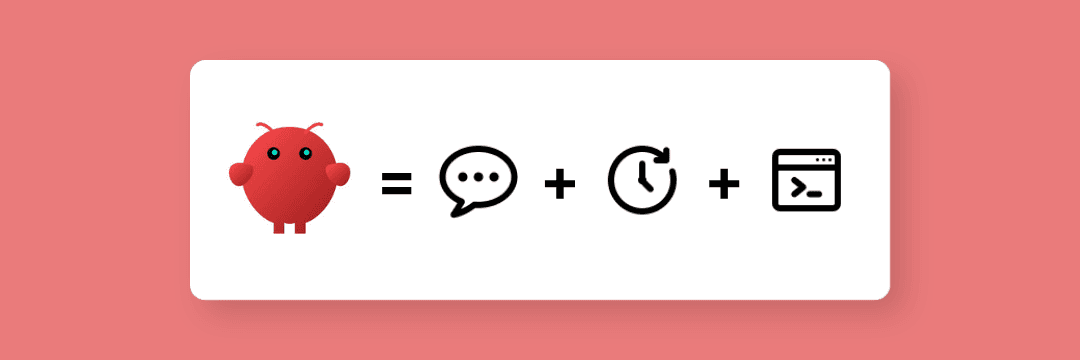
OpenClaw answers you on WhatsApp, Telegram, Slack or Teams. It retrieves information, prepares replies, summarizes conversations, keeps your context in memory and runs on your infrastructure.
Reachable from your daily messaging channels.
Persistent memory with SOUL.md and MEMORY.md.
Open source, exportable, hosted on a European VPS.
Ask
A question from WhatsApp, Slack, Telegram or Teams.
Retrieve
Emails, docs, CRM, notes and approved sources.
Prepare
Brief, reply, checklist or summary to approve.
Why me
The subject is not only installing OpenClaw. The real work is deciding what it should know, what it can do, what it must ask for and how it fits into your day.
The problem
You have ChatGPT in one tab, Slack or Teams in another, emails to process, a Drive to search, a CRM to check and notes sleeping somewhere else.
OpenClaw brings AI back into your daily channels. You talk to it where you already are, and it prepares the work with the available context.
What OpenClaw does
This is not Hermes. OpenClaw is less an agent that runs a complete process on its own and more a personal or team copilot: you ask, it searches, prepares, coordinates and keeps memory.
You write from WhatsApp, Telegram, Slack or Teams. No need to open another tool.
It applies your instructions, tone, rules and the context already documented in SOUL.md and MEMORY.md.
It retrieves approved sources, summarizes, suggests a reply, an action or a list of points to validate.
It keeps useful preferences and context so every conversation does not restart from zero.
Use cases
The goal is not a shiny demo. The goal is to choose a use case where a leader or a small team gets more clarity from the first days.
Leadership
01Your calendar, emails, messages and priorities never live in the same place.
You ask OpenClaw for a daily brief. It prepares meetings, urgent topics, decisions to make and replies to handle.
You start by deciding, not by reopening every tab.
Research
02A useful answer may be in a Drive document, a note, an old email, the CRM or a web page.
OpenClaw searches approved sources, summarizes the answer, cites where it came from and suggests the next step.
A question becomes a usable answer with sources.
Team
03Decisions happen in Slack, Teams, WhatsApp or orally. A few days later, nobody knows what stayed open.
OpenClaw summarizes a thread, extracts decisions, prepares tasks and sends a recap in the relevant channel.
Conversations become a readable action list.
Admin
04Supporting files, contracts, letters, checklists and summaries take time because you need to gather the pieces before writing.
OpenClaw prepares a draft, lists missing information, flags sensitive points and keeps human approval in the right place.
Paperwork becomes a verifiable draft, not a blank page.
Control
OpenClaw is not only about multi-channel access. It also lets you keep control over the assistant, its instructions, memory, model and hosting.
We formalize the role, tone, limits and instructions of the assistant in a readable, versionable file.
The assistant keeps preferences, active projects and useful context without making every request start from scratch.
OpenAI, Anthropic, OpenRouter or another compatible option depending on the need. The model serves the use case.
Dedicated infrastructure, client-owned keys, export and documentation to limit lock-in.
Method
OpenClaw can do a lot. That is exactly why we start with a useful, understandable and testable scope.
01
We choose the first use case: leader brief, research, coordination, admin or another concrete need.
02
We write the instructions, tone, limits, sources and approval rules.
03
We connect useful channels and sources: WhatsApp, Telegram, Slack, Teams, Drive, CRM or documentation.
04
We test with your real examples before making it part of your routine.
05
You leave with the assistant, documentation and rules to help it evolve.
For whom
Scoping
Scope depends on channels, sources to connect, memory level, chosen model and data constraints. We validate it before any proposal.
Assistant
Installation, configuration, SOUL.md, MEMORY.md, first connected channels, tests on your real requests and handover.
Control
Dedicated European VPS, client-owned keys, documentation, export and guardrails so the assistant stays understandable.
Next
Adjustments after use, new sources, new channels, prompt improvement and possible move toward a more autonomous agent.
Related
Hermes is more suitable when AI needs to orchestrate business actions within a precise frame.
For turning a precise need into a dedicated agent connected to your tools and business rules.
When the need is a reliable process between your tools, without a conversational assistant.
Understand where humans should remain in the loop when AI prepares a sensitive action.
FAQ
Next step
In 20 minutes, we check whether OpenClaw is the right tool, which channels to connect and which limits to set from day one.
The call is for scoping. You decide afterwards.