AI agents for SMBs

Your AI assistant should not
wait for you to prompt it.

I build AI agents connected to your email, CRM, documents and business tools. They read, sort, prepare, follow up and ask for approval before sensitive decisions.

See Hermes for prospecting

It reads incoming requests and prepares the next step.

It works inside your tools, not in an isolated browser tab.

It asks for approval before committing the company.

Request receivedContext readHuman approval
Diagram of an AI agent connected to business tools

Who builds your agent

I build AI systems small teams can actually use, not lab demos.

The right AI agent is not here to replace your team. It removes the tasks that slow everyone down: reading, sorting, preparing, checking, following up and summarizing.

The reality

You already have ChatGPT. The bottleneck starts when work has to move.

ChatGPT helps write an email or summarize a note. But in a real SMB day, someone still has to open the CRM, find the right attachment, check the customer, prepare the quote, follow up at the right time and notify the right person.

An AI agent takes that part on. It receives a signal, reads context, prepares the action and puts the right decision in front of you.

In practice

An AI agent is a business process that can read, sort and prepare.

We choose one specific mission, then build the system around it: which information to read, which rules to apply, which actions to prepare, when to ask for approval.

  • Connected to daily work. Email, CRM, Drive, Slack, ERP, invoicing tool. The agent works where the information already lives.
  • Triggered by a real event. New lead, customer email, field note, late invoice, received document.
  • Able to handle ambiguity. It can extract intent, spot urgency, summarize a request and prepare a response.
  • Bounded by your rules. It does not decide sensitive matters alone. It prepares and escalates.

The goal is not to add another chat window. The goal is to remove a repeatable chunk of work from your team, with a clear scope and guardrails.

Diagram of an AI agent connected to business tools

For you?

A good fit when your team lacks hands, not ideas.

This is probably the right moment if

  • One person acts as the bridge between email, CRM, quotes and follow-ups
  • You already use a few tools, even simple ones: Google Workspace, CRM, Pennylane, Airtable, Slack
  • You see one task that comes back every week and drains the team
  • You want to start with a concrete use case before talking big AI strategy

Better to start elsewhere if

  • Nobody knows yet how the process should work
  • All information only exists in oral conversations
  • You are looking for a magic tool that decides without asking you questions

SMB scenarios

Where an AI agent becomes useful in an SMB.

If you recognize yourself in two lines, it is a good lead. We start with one simple business case, then improve it with your team.

Car dealership

01

Reply quickly to a vehicle request

A prospect asks about a model, trade-in or financing. The information arrives through a form, email or message, then waits for a salesperson to sort it.

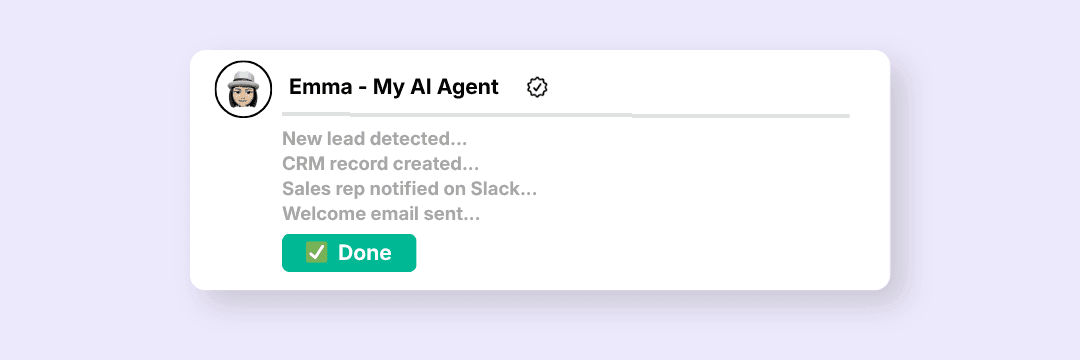
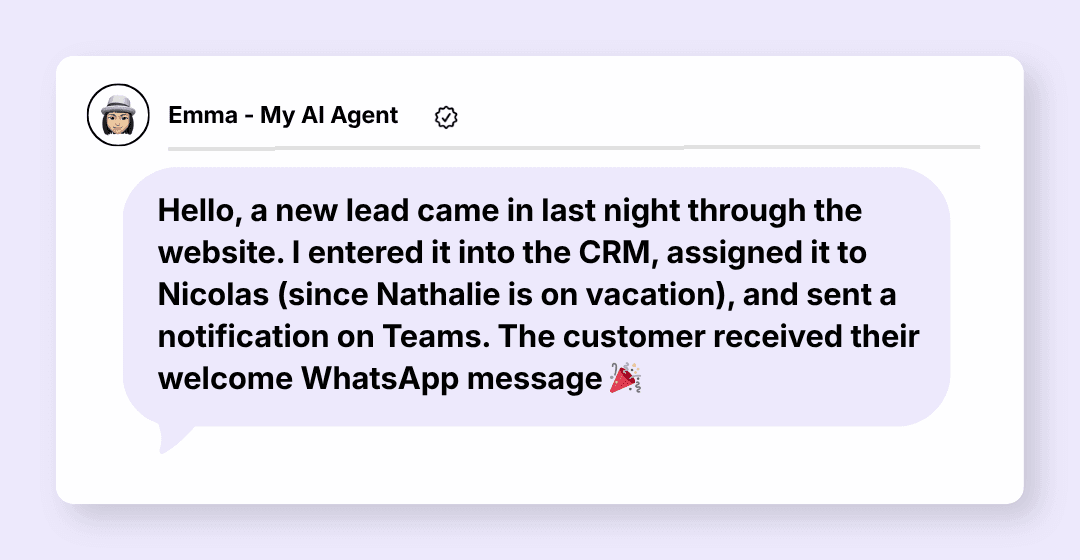
The agent reads the request, finds the vehicle or closest offer, prepares the message, creates the CRM task and flags what is missing.

The salesperson arrives with context, not an inbox to empty.

See the Hermes offer

Joinery

02

Turn a field visit into a quote ready to review

Photos, measurements, voice notes, customer constraints. Everything exists, but the office has to rebuild the file.

The agent gathers the pieces, spots what is missing, prepares a draft quote and updates the customer record.

The team reviews and adjusts instead of starting from a blank page.

Read the field quote case

Maintenance

03

Sort urgent requests without leaving customers in the dark

A blocked lift, a simple failure and an admin request arrive in the same channel. Everything looks urgent.

The agent classifies the request, finds the contract or history, prepares the response and alerts a human when the risk is real.

Urgent cases surface more clearly and simple requests move forward.

Read the human approval guide

Invoices

04

Prepare follow-ups without damaging the customer relationship

You know you need to follow up, but you do not want the same message for a good customer, a habitual delay and a sensitive account.

The agent reads statuses, prepares the right level of reminder, adds customer context and asks for approval when tone matters.

Follow-up becomes regular without becoming blindly automatic.

See the Pennylane example

Leadership

05

Get the useful brief before opening ten tabs

Revenue is in Pennylane, pipeline in the CRM, issues in emails and priorities in your head.

The agent gathers signals, summarizes what changed and prepares the points to look at.

You start by deciding, not searching.

Discover OpenClaw

Paperwork

06

Stop handling admin one case at a time

Contracts, receipts, accounting requests, employee files. Everything needs a rule, a source and sometimes approval.

The agent prepares files, applies your instructions, flags missing pieces and keeps sensitive decisions for humans.

Paperwork becomes a readable work queue.

Read the Paperasse article
Deliverables

You leave with a system, not just advice.

1

The agent in production

Connected to the planned tools, tested on your real cases and limited to the validated scope.

2

Clear operating guide

What it does, what it does not do, when it asks for approval, where to look if something fails.

3

Team handover

A session so the people involved know how to use it, monitor it and request adjustments.

4

30 days of adjustment

We correct reality after go-live, within the agreed scope.

Method

We start from a recurring irritation, not a trend.

1

Choose the right case

20-minute call to understand where your team loses time and whether an AI agent is relevant.

2

Draw the limits

Data used, rules, approvals, possible errors, responsibilities. Nothing stays vague.

3

Check the tools

API access, documents, CRM, emails, permissions and constraints. If the environment will not work, we say so.

4

Build and test

The agent is tested on real cases, with your feedback, before go-live.

5

Put it to work

Documentation, handover, initial support and adjustments within the validated scope.

After delivery

Hosting and maintenance

The technical layer should not become your new problem. We choose the model that fits your team.

Self-managed

Your infrastructure, your API keys. I deliver, document and train. Your technical team takes over afterward.

For companies with a CTO or technical team.

Recommended

Hosted

My infrastructure, your API keys. I handle monitoring, updates and routine operation.

For companies that want to offload technical management.

All-in-one

My infrastructure, my API keys. A simpler setup when you do not want to manage the technical side.

For non-technical SMBs who want the simplest solution.

Minimum 3-month commitment for Hosted and All-in-one models.

Scoping

We look at your first concrete case.

Bring one task that comes back too often: following up, qualifying, preparing a quote, sorting requests, summarizing a file. We will see whether an AI agent is the right answer.

After the call, you know whether the project deserves scoping, which entry point to choose and which limits to plan for.

FAQ

Your questions

What's the difference with ChatGPT?+
ChatGPT waits for a prompt. An AI agent receives an event, reads your data, prepares an action and works inside your tools. It is built for a specific process, not for answering everything.
How long until it's operational?+
A simple agent is operational in 1 to 2 weeks. A multi-step project takes 3 to 5 weeks. The initial scoping defines a precise timeline.
Do I need to know how to code?+
No. Your role is to explain the business, exceptions and approvals. I handle the technical side and make the system readable.
Is my data secure?+
Your data flows through secure APIs and is never stored outside your tools. AI provider terms of service are respected. A bilateral NDA is signed before any engagement.
What if the right topic is simple automation instead?+
We will say so from the start. When a clear rule is enough, an automated workflow is often simpler, more reliable and easier to maintain than an AI agent.

Let's talk?

Describe your situation in a few lines, no commitment.